
We’ve all been there: surrounded by stacks of papers, reports, and documents that seem to multiply overnight. Paper clutter can be overwhelming, not just physically but also mentally, making it difficult to focus on tasks at hand. The problem is, most of us still rely heavily on physical paperwork for important documents, notes, and reference materials. As a result, our workspaces become chaotic and disorganized, leading to decreased productivity and increased stress levels. In this article, we’ll share expert strategies and solutions for managing paper clutter and maintaining a clutter-free workspace. By the end of it, you’ll know how to prioritize your papers, implement effective filing systems, and create a more streamlined workflow that boosts your productivity and reduces stress.
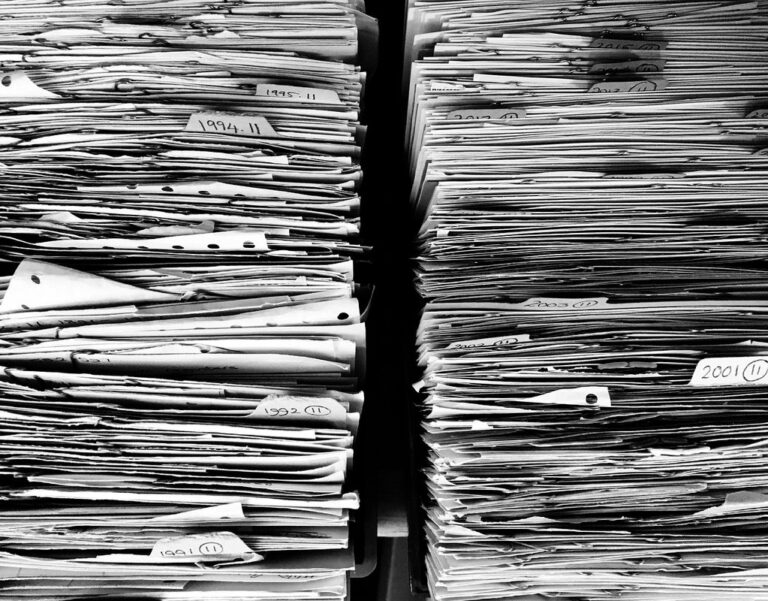
Understanding Paper Clutter
Paper clutter can be overwhelming, but understanding its root causes is key to effective organization. To tackle paper clutter, it’s essential to identify why it accumulates in the first place.
The Sources of Paper Clutter
Paper clutter can originate from various sources, often contributing to its accumulation over time. Mail is a significant contributor, with bills, statements, and advertisements frequently delivered to homes and offices. These documents may not require immediate action but still occupy physical space until they’re dealt with.
Receipts from purchases, both online and in-store, are another source of paper clutter. Many people hold onto receipts for various reasons, including warranty claims or returns. However, keeping every receipt can lead to a substantial collection over time.
Documents such as insurance policies, contracts, and tax documents also contribute to paper clutter. These papers often require regular review or updates but may be misplaced or not properly stored.
Additionally, paperwork from work or school projects can add to the clutter. Students and professionals alike tend to accumulate notes, drafts, and final versions of their work in physical form. This tendency is further exacerbated by the need for frequent revisions and the desire to keep all iterations on hand.
These sources of paper clutter can be managed effectively through strategies such as implementing a filing system or adopting digital storage solutions, which will be discussed later in this article.
The Effects of Paper Clutter on Productivity
Excessive paper clutter can significantly impair productivity by creating a distracting environment that hinders focus. The physical presence of cluttered papers on desks and workspaces contributes to mental fatigue, making it challenging to prioritize tasks and maintain concentration.
When faced with a messy workspace, individuals often experience increased stress levels, which further diminish their ability to stay focused. Research suggests that even a small amount of visual clutter can decrease productivity by up to 20%. This is particularly true for tasks that require intense mental effort or creativity.
To mitigate the negative effects of paper clutter on productivity, consider designating specific areas for paperwork and keeping frequently used documents within easy reach. Implementing a regular filing system can also help maintain a clutter-free workspace, reducing distractions and promoting focus. By minimizing visual clutter, individuals can allocate more energy towards completing tasks efficiently and effectively.
Assessing Your Paper Clutter
When it comes to tackling paper clutter, understanding what you’re working with is essential. We’ll start by helping you assess the extent of your paper mess and identify areas for improvement.
Sorting and Categorizing Papers
Sorting through a large collection of papers can be overwhelming, but breaking it down into manageable groups makes the task more approachable. Begin by gathering all papers from a single area or source, such as a desk drawer or inbox. Next, sort papers into broad categories like bills, receipts, documents to file, and items to recycle.
Consider using color-coded labels or folders for each category to make it easy to identify which group papers belong in. For example, use red labels for urgent documents that require immediate attention, while green labels can be used for less pressing materials. This visual system helps you quickly see the scope of each category and prioritize your work.
When categorizing, also consider the type of action required for each paper. Will it need to be filed away permanently or dealt with in a specific timeframe? This distinction will help you create a more efficient filing system. By grouping papers by category and priority, you’ll be able to tackle the task of organizing with greater clarity and focus.
Creating a Paper Management System
A well-designed paper management system is crucial for maintaining a clutter-free workspace. This system should be tailored to individual needs and preferences, rather than following a one-size-fits-all approach. Consider what type of papers you generate most frequently – such as receipts, invoices, or contracts – and prioritize storage solutions that accommodate these items.
When creating your paper management system, it’s essential to establish clear categories and labels for each file or folder. This will enable quick identification and retrieval of specific documents. For instance, you might have a “Client Documents” folder with subcategories for each client, including their contracts, invoices, and communication records.
To ensure the effectiveness of your paper management system, consider implementing some basic principles:
- Designate a centralized storage area for papers.
- Use clear labels and signage to identify files and folders.
- Establish regular review cycles to maintain organization and update file systems as needed.
By taking these steps, you can create a customized paper management system that streamlines your workflow and reduces clutter in the long term. This will enable you to quickly locate necessary documents, reducing wasted time searching through piles of paperwork.
Decluttering and Organizing Paperwork
When it comes to paperwork, clutter can quickly spiral out of control. Here’s how to tackle your most overwhelming paper piles with a strategic approach to decluttering and organizing.
The 4-Box Method for Sorting Papers
When sorting through paper clutter, it’s essential to have a clear system for deciding what to keep, recycle, shred, and file. The 4-box method is a simple yet effective way to declutter papers quickly. Start by gathering four boxes or bins labeled “keep,” “recycle,” “shred,” and “file.”
As you sort through your papers, place them in the corresponding box. For example, bills and receipts should go into the “file” box if they need to be kept for tax purposes or as a record. Junk mail, catalogs, and unnecessary paperwork can be recycled immediately.
On the other hand, sensitive documents such as financial statements, identification cards, and confidential letters should be shredded securely. Be cautious not to shred important documents by mistake, so make sure you review each item carefully before deciding its fate.
Creating a Filing System
When creating a filing system, prioritize simplicity and clarity. Label each file with a clear description of its contents to avoid confusion later on. Consider using color-coded folders or tabs to group related documents together. For example, you could use blue folders for financial records and green ones for receipts.
To maintain your filing system, schedule regular review sessions – ideally every few months – to update and purge unnecessary files. Be ruthless: if a document is no longer relevant or has been superseded by a newer version, let it go. Keep only what’s essential and relevant to your current needs.
Use clear and concise naming conventions for your file folders and labels. Avoid abbreviations that might be unclear in the future, and stick to standard language. This will save you time and effort when searching for specific documents or explaining your filing system to others.
Consider implementing a “touch once” policy: handle each piece of paper only once before either storing it away or discarding it. This helps prevent clutter from building up again in the long term. Remember, an efficient filing system is one that’s easy to maintain – so keep it simple and focused on your specific needs.
Managing Paperwork Digitally
Now that you’ve digitized your paperwork, let’s talk about managing it effectively so you can free up space and reduce stress. This involves setting up a system for organizing digital files.
Scanning and Digitizing Papers
Scanning and digitizing papers offers numerous benefits for reducing clutter and increasing accessibility. For one, it allows you to free up physical storage space by converting documents into digital files. This is particularly useful for those with limited office or home space.
In terms of accessibility, digitized documents can be easily searched, sorted, and shared electronically. You can also access them from anywhere with an internet connection, making it simpler to collaborate with others or refer to important information on the go.
To get started with scanning and digitizing papers, consider investing in a document scanner that suits your needs. Some scanners come equipped with automatic document feeders, which can save time when dealing with large batches of documents.
When choosing a scanning software, look for one that allows you to easily organize and tag files, as well as integrate with cloud storage services like Google Drive or Dropbox. This will enable you to access your digitized papers from any device and share them seamlessly with others.
By implementing a scanning and digitizing system, you can significantly reduce the amount of physical clutter in your workspace while also making it easier to manage your paperwork over time.
Using Digital Storage Solutions
Cloud storage services are ideal for managing electronic documents, as they offer a centralized location to store and access files from anywhere. Popular options like Google Drive, Dropbox, and Microsoft OneDrive allow you to upload scanned papers, digitized documents, and even photos of receipts or bills.
When selecting a digital storage solution, consider the following factors: security, accessibility, and collaboration features. Look for services with robust encryption methods, such as 256-bit AES, to protect your files from unauthorized access. Also, ensure the service allows you to share files with others, either by sending them links or granting permission to edit documents.
Additionally, think about the storage capacity and scalability of the service. If you’re managing a large number of documents, consider services that offer unlimited storage or flexible plans that can grow with your needs. Many cloud storage services also provide automatic backups and version history, which can be lifesavers if you accidentally delete an important file. By choosing a suitable digital storage solution, you’ll be able to access your electronic documents from anywhere, making it easier to manage paperwork digitally.
Maintaining a Clutter-Free Workspace
Maintaining a clutter-free workspace is essential for staying focused and productive, which is why we’ll explore the habits and strategies that keep your desk tidy. This includes creating routines to manage paper clutter as it arises.
Strategies for Preventing Paper Clutter
To prevent paper clutter from building up in the future, it’s essential to establish habits and routines that promote mindful handling of paperwork. Implement a “touch once” rule: when you receive a piece of paper, deal with it immediately by either sorting it into its designated category or scanning and digitizing it. This approach saves time in the long run and reduces the likelihood of papers getting lost or misplaced.
Create a designated spot near your workspace for incoming papers, such as a tray or inbox. This helps contain clutter and makes it easier to stay on top of paperwork. Consider implementing a “one in, one out” policy: whenever you bring new paper into your space, get rid of an old item to maintain a balanced level of clutter.
Develop a regular routine for reviewing and processing papers, such as weekly or monthly check-ins. During these sessions, sort through the papers in your designated spot, prioritize tasks, and tackle any outstanding paperwork. By staying on top of your paperwork and implementing these habits, you’ll be better equipped to maintain a clutter-free workspace and reduce stress associated with paper clutter.
Tips for Staying Organized in the Long Term
To maintain a clutter-free workspace over time, you need to establish habits that promote organization and prevent paper clutter from building up again. One key strategy is to schedule regular tidying sessions, such as weekly or bi-weekly clean-ups, where you quickly sort through paperwork and files, getting rid of unnecessary documents and putting away important ones in their designated places.
Another crucial habit is to implement a “one touch” rule when handling new papers: deal with each document immediately by either scanning it, filing it, or tossing it. This helps prevent papers from piling up on your desk or floor.
You should also establish clear guidelines for paper usage and retention within your workspace. For instance, you might designate certain files as “actionable” – requiring immediate attention – versus “reference” – which can be stored for longer periods.
Consider designating specific days of the week for tasks like paperwork review, filing, or administrative tasks to help maintain a steady workflow and prevent clutter buildup.
Advanced Strategies for Managing Paperwork
As you’ve refined your paper organizing system, it’s time to take it to the next level by implementing advanced strategies that maximize efficiency and minimize clutter. We’ll explore techniques for handling complex paperwork situations.
Automating Paperwork Tasks
Automating paperwork tasks can significantly reduce the time spent on manual document management. One approach is to use software specifically designed for tracking and managing documents, such as document management systems (DMS) or electronic document management systems (EDMS). These tools allow you to upload, store, and organize digital versions of your papers, making it easier to search and retrieve specific documents.
Some popular options include Adobe Acrobat, Microsoft SharePoint, and DocuWare. When selecting a software solution, consider the types of paperwork tasks you need to automate and choose a tool that meets those requirements. For example, if you receive frequent tax returns or invoices, look for a system with built-in scanning and OCR capabilities.
To get started with automation, identify which documents are most frequently used or require manual processing. Next, determine how these documents can be digitized and streamlined using software. You may also want to explore integrating automated workflows with other office tools, such as email or accounting software, to create a seamless document management process.
Creating a Paper-Free Workflow
A paper-free workflow is a goal worth striving for, especially for those who receive high volumes of paperwork. In personal settings, creating a paperless system can mean using digital tools to manage bills and receipts, or switching to online banking and credit card statements. For professionals, it may involve implementing electronic document management systems (EDMS) or transitioning to cloud-based software that allows colleagues and clients to access and share documents securely.
When creating a paper-free workflow, consider the following steps:
- Scan and digitize existing paper documents to create a digital repository.
- Set up automatic email notifications for bills and statements to reduce physical mail clutter.
- Implement electronic signatures, which can be used to sign contracts and agreements digitally.
- Use cloud-based storage solutions that allow multiple users to access and collaborate on files in real-time.
By implementing these strategies, individuals and organizations can significantly reduce their reliance on paper and create a more efficient, streamlined workflow. This not only saves time and resources but also helps minimize waste and environmental impact associated with paper production and disposal.
Frequently Asked Questions
What if I have limited time to declutter my papers and need to get started immediately?
You can start by setting aside a specific time each day or week to work on organizing your papers. Begin with small batches, such as clearing off one shelf or sorting through a single box of documents. This will help you make progress without feeling overwhelmed.
Can I use the 4-box method for digitizing papers instead of physical ones?
Yes. You can apply the same principles of sorting and categorizing to digital files. Create four folders on your computer: “keep,” “recycle,” “shred” (delete), and “file.” This will help you maintain a digital filing system that’s easy to manage.
How do I handle sensitive or confidential documents, like medical records or financial information?
For sensitive documents, it’s essential to take extra precautions. Consider using a safe or a fireproof box to store them. You can also consider scanning these documents and storing the digital copies in a secure location, such as a password-protected folder.
What if I have a large amount of paper clutter and don’t know where to start?
Start by sorting your papers into categories, such as bills, receipts, or documents that require action. This will help you see what needs attention and create a plan for tackling each area. You can also consider enlisting the help of a friend or family member to make the task more manageable.
Can I implement a paper management system in my home office without disrupting my work routine?
Yes. Start by designating specific times for organizing your papers, such as during your daily break or at the end of each week. Gradually introduce new habits and routines that support your paper management system, like regularly reviewing and updating your filing system.
