
The average person checks their phone over 150 times per day. This constant stream of notifications, social media updates, and emails can be overwhelming, leading to feelings of anxiety and decreased productivity. Many people try to keep up with the latest gadgets and apps, but this approach only adds to digital clutter. A simpler solution is to adopt minimal technology – using only what’s essential and necessary for your daily life. By paring down your digital tools and habits, you can reduce distractions, increase focus, and improve your mental well-being. In this article, we’ll explore the benefits of minimal technology and provide practical tips on how to simplify your digital life. You’ll learn strategies for reducing digital clutter, increasing productivity, and achieving a healthier relationship with technology.
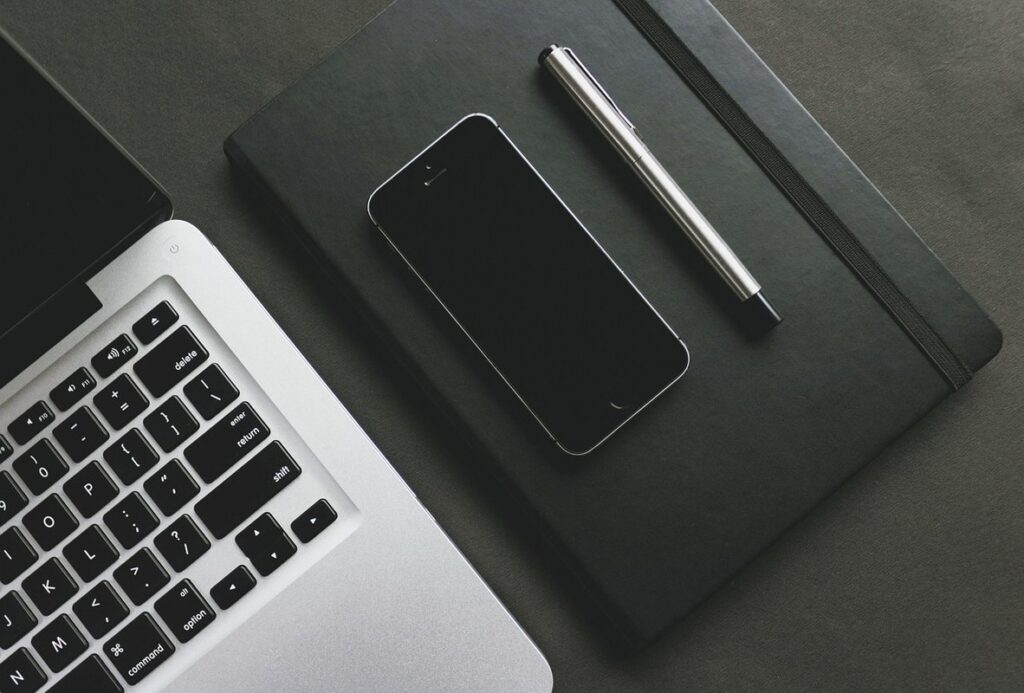
Understanding the Concept of Minimal Technology
For many, minimal technology is a vague concept that seems more theory than practical reality. In this next part, we’ll break down what it means in simple terms to better understand its appeal and application.
What is Minimal Technology?
Minimal technology is an approach to living that emphasizes simplicity, sustainability, and functionality. It’s a growing movement that encourages individuals to reassess their relationship with technology and adopt more mindful consumption habits. One notable example of minimal technology in action is the rise of digital detox retreats, where people come together to disconnect from screens and focus on nature, mindfulness, and community.
In the home, minimal technology is being applied through smart home automation systems that optimize energy efficiency and reduce waste. For instance, a smart thermostat can learn a household’s schedule and preferences to adjust the temperature accordingly. Some minimalist homes even eschew modern appliances in favor of manual or analog alternatives, such as hand-cranked washing machines and wooden looms.
In education, minimal technology is being explored as a means to reduce distractions and promote deeper learning. Some schools are introducing “tech-free” days or implementing digital-free zones within the classroom. This approach encourages students to engage more actively with their surroundings and foster a greater appreciation for hands-on learning experiences.
Why Adopt a Minimalistic Approach to Technology?
A minimalistic approach to technology allows you to eliminate digital clutter, free up mental energy, and focus on what matters most. Digital clutter can be overwhelming, causing distractions and making it difficult to prioritize tasks effectively. When your digital space is tidy, you’re able to access the information you need quickly and easily.
Reducing digital clutter also improves your productivity by eliminating time spent searching for misplaced files or struggling with outdated software. For instance, consider the impact of switching from a cluttered email inbox to a streamlined one, where messages are organized into clear categories and important notifications stand out.
Beyond practical benefits, embracing minimalism in technology can have a profound effect on your mental well-being. By reducing the constant stream of digital stimuli, you create space for reflection, creativity, and self-care. Implementing tools like website blockers or apps that track screen time can help you establish healthy boundaries between your digital life and real-world activities.
Simplifying Your Digital Life: Essential Tools and Practices
To simplify your digital life, you’ll want to identify essential tools that support your minimal technology goals and establish practical habits for maintaining a clutter-free online space.
The Importance of Curated Digital Environments
Having a curated digital environment is crucial for maintaining focus and productivity. This means choosing specific email clients, social media platforms, and note-taking apps that align with your goals and needs. A cluttered inbox or overwhelmed social media feed can be detrimental to mental health and work efficiency.
When it comes to email clients, consider using a minimalistic app like Sylpheed or Mailspring, which offer features like automatic sorting, customizable layouts, and integration with other tools. Limiting your social media presence by removing unnecessary accounts or taking regular breaks from platforms can also help reduce digital noise.
Similarly, note-taking apps should be carefully selected to suit individual preferences. For example, some people prefer the simplicity of Bear, while others swear by the robust features of Evernote. The key is finding a tool that works for you and using it consistently. By curating your digital environment in this way, you can minimize distractions, streamline workflows, and cultivate healthier online habits.
Prioritizing Essential Apps and Features
To create a more streamlined digital experience, you need to identify and prioritize essential tools and features. Begin by examining each app on your device, starting with the ones you use most frequently. Ask yourself if each app is truly necessary for your daily life or work. Be honest about your habits – if you’ve only used an app once in the past month, it’s likely safe to delete it.
Consider the functions that are essential for a particular task or activity. For example, when writing, you might need access to a text editor, a grammar and spell checker, and a research tool like Google Scholar. Prioritize these tools over others that don’t provide significant value. You can also consider grouping related tasks together – if you use multiple apps for productivity, consider replacing them with an all-in-one solution.
A good rule of thumb is to focus on the 20% of tools that deliver 80% of the benefits. Be ruthless in your assessment – every app and feature has a cost, whether it’s storage space, data security risks, or cognitive overhead. By paring down your digital landscape, you’ll be able to concentrate on what really matters.
Practical Strategies for Adopting Minimal Technology
To start reducing technology’s impact on your life, it’s essential to have a plan in place. Here are some practical strategies for adopting minimal technology that you can put into practice right away.
Decluttering Your Digital Space
Removing unused apps from your computer, phone, and other devices is a crucial step in decluttering your digital space. Open the app store on each device and scroll through your installed apps to identify ones you haven’t used in months or years. You can also use built-in features like Apple’s Storage tab or Google’s Digital Wellbeing tool to see which apps are taking up the most space.
Delete unnecessary files, including duplicates, temporary files, and items stored in cloud storage services. Regularly clean out your email inbox by deleting spam messages, unsubscribing from unwanted newsletters, and setting up filters to automatically sort incoming mail. Organize digital storage by creating folders for frequently used documents, photos, or videos.
Be mindful of data that’s being synced across devices, such as contacts, notes, or music libraries. Ensure you’re not storing multiple copies of the same files in different locations. For example, if you use Google Drive and Dropbox, transfer your most important files to a single platform to declutter your digital storage.
Implementing Time Management Techniques
When working in a minimalistic tech environment, it’s essential to implement effective time management techniques. The Pomodoro Technique is one such method that can help individuals stay focused and avoid distractions. This technique involves working in focused 25-minute increments, followed by a five-minute break. After four cycles, take a longer break of 15-30 minutes.
To adapt the Pomodoro Technique to your needs, start by setting specific goals for each cycle. For example, you might aim to complete a particular task or make significant progress on a project. Be realistic about what you can accomplish in a single cycle, and don’t be too hard on yourself if you don’t meet your goals.
Regular breaks are crucial to maintaining productivity when using the Pomodoro Technique. Use this time to stretch, move around, and refresh your mind. You might also consider incorporating other techniques, such as the “time blocking” method, where you schedule large blocks of uninterrupted time for important tasks. By combining these methods with a minimalistic tech environment, you can create an efficient workflow that minimizes distractions and maximizes productivity.
The Role of Hardware in Minimal Technology
When it comes to minimal technology, hardware plays a crucial role in keeping things simple and functional. Let’s take a closer look at how carefully chosen hardware can enhance your minimalist setup.
Choosing Devices for a Minimalist Lifestyle
When selecting devices for a minimalist lifestyle, it’s essential to consider not just their functionality but also their impact on the environment and your personal values. Start by evaluating hardware specs: do you need a device with 4K resolution or can you opt for a more energy-efficient alternative? A smaller screen size may be sufficient for casual browsing and productivity.
Next, prioritize durability over sleek designs. Look for devices made from recyclable materials and constructed to withstand wear and tear. For instance, consider laptops with metal exteriors that can withstand accidental drops. Some brands even offer repair services or allow users to upgrade individual components instead of replacing the entire device.
Lastly, think about sustainability. Choose devices with minimal packaging waste, designed for longevity, or produced using renewable energy sources. Consider refurbished or second-hand options as a cost-effective and eco-friendly alternative to new devices. By carefully considering these factors, you can align your technology choices with your minimalist values and reduce electronic waste in the process.
Customizing Your Device Settings for Optimal Performance
When it comes to minimizing distractions and optimizing performance on your device, customizing your settings is a crucial step. Start by reviewing your notification preferences – do you really need to receive notifications for every social media post or email? Consider creating separate profiles for work and personal use to keep your notifications organized. You can also silence or turn off non-essential features like location services, Bluetooth, or Wi-Fi.
Another area to focus on is clearing out clutter from your home screen. Remove any unused apps, widgets, or shortcuts that take up valuable space and create visual noise. Consider organizing your apps into folders or categories to simplify navigation. For example, you might group all your productivity tools together in a single folder, making it easy to access them when needed.
Additionally, disable any features that can drain your battery or slow down your device’s performance. This could include background app refresh, location services for specific apps, or push notifications. By taking these simple steps, you can significantly reduce distractions and optimize your device settings for a clutter-free experience.
Managing Data and Security in a Minimalistic Tech Setup
Data security is often overlooked in minimal tech setups, but it’s crucial to protect your personal info. We’ll explore practical strategies for safeguarding your digital life without sacrificing simplicity.
The Importance of Data Backups and Storage
Regular data backups are a crucial aspect of maintaining peace of mind in a minimal tech setup. Despite the reduced number of devices and services, data loss can still occur due to hardware failure, user error, or even deliberate actions like ransomware attacks. A reliable backup solution ensures that you don’t lose critical files, documents, or photos.
External hard drives are an affordable and straightforward option for local backups. You can also consider cloud storage services like Google Drive, Dropbox, or pCloud, which often offer automatic file synchronization and versioning. For a truly minimalist setup, consider using a NAS (Network Attached Storage) device that allows centralized access to shared files across multiple devices.
It’s essential to automate your backup process to ensure consistency. Set up your backup software to run at regular intervals, such as daily or weekly, depending on your needs. Additionally, verify the integrity of your backups by checking their recoverability on a periodic basis.
Best Practices for Password Management
When it comes to password management, minimalism doesn’t have to mean sacrificing security. A dedicated password manager can store and generate complex passwords for you, eliminating the need to reuse weak ones or write them down on sticky notes. Some popular options include LastPass, 1Password, and Dashlane, each with its own features and pricing plans.
Two-factor authentication (2FA) is another crucial component of a secure password management strategy. This adds an extra layer of protection by requiring both a password and a second form of verification, such as a fingerprint scan or one-time code sent to your phone via SMS or authenticator app. Many services now offer 2FA, including Google, Facebook, and Twitter.
To get started with 2FA, look for the security settings in each account’s dashboard. Enable 2FA whenever possible, and consider using an authenticator app like Google Authenticator or Authy to manage multiple accounts’ codes. Regularly review your password manager’s stored passwords and update them if necessary. By adopting these best practices, you can maintain a strong online presence without cluttering your digital life with unnecessary complexity.
Case Studies: Successful Implementations of Minimal Technology
Real people have successfully implemented minimal technology into their lives, and we’ll examine a few inspiring examples that demonstrate its effectiveness. From small households to entire communities, these case studies offer valuable lessons.
Real-Life Examples of Minimal Tech Adoption
In recent years, several individuals and organizations have successfully implemented minimal technology into their daily lives. The Japanese town of Tanazawa is an example of a community that has adopted minimalist technology to improve its quality of life. This town, located on the island of Hokkaido, has implemented a system where residents can access essential services such as healthcare, education, and shopping through a single, low-cost smartphone app.
The town’s minimal tech approach has not only reduced costs but also increased efficiency and convenience for its residents. For instance, medical consultations are now conducted remotely, eliminating the need for lengthy travel to city hospitals. The town’s schools have also adopted digital tools that enable students to access educational resources and collaborate with peers online.
By adopting this minimalist technology system, Tanazawa has created a sustainable and self-sufficient community where residents can easily access essential services while minimizing their reliance on traditional infrastructure.
Overcoming Common Challenges and Setbacks
When adopting minimal technology, one common challenge is the initial adjustment period. This can be particularly difficult for those accustomed to a high-tech lifestyle. To overcome this hurdle, establish clear goals and priorities for your tech use before making any changes. For instance, you might decide to eliminate social media or set specific times for checking email.
Another obstacle is the lack of familiar tools and resources. In some cases, users may need to find alternative solutions or relearn old skills. For example, a writer accustomed to using cloud-based collaboration tools might need to adapt to working with local files or revisiting traditional methods like paper notes and in-person meetings.
It’s also essential to be realistic about the pace of change. Implementing minimal technology often requires patience and flexibility. Instead of expecting an immediate overhaul, consider introducing small changes incrementally. This can help you gauge what works for your unique situation and avoid unnecessary stress or frustration.
Conclusion: Embracing the Benefits of Minimal Technology
As we conclude our exploration of minimal technology, it’s time to reflect on how embracing a simpler digital life can have a profound impact on your well-being. Let’s discuss some final key takeaways.
Recap of Key Takeaways
In embracing minimal technology, you can expect a range of benefits to emerge. Reduced distractions are one key advantage, allowing for greater focus and productivity in both work and personal life. This is especially true for individuals working remotely or managing complex projects, where minimizing digital clutter can help maintain momentum and avoid burnout.
Another significant benefit is the potential for increased financial savings. By reducing your reliance on expensive hardware and software, you can free up resources for more essential expenses. For instance, upgrading to a lower-cost laptop or switching to open-source alternatives can make a substantial difference in your budget.
Practicalities of implementation also warrant attention. A successful transition typically involves starting small – identifying one area where minimalism can be applied and gradually expanding from there. This might involve adopting a simpler note-taking system, eliminating social media apps on your phone, or switching to a text-based browser. By taking a measured approach and being intentional about your technology choices, you can integrate minimal technology into your daily routine with relative ease.
Encouragement for Further Exploration
You’ve reached the end of our exploration into the benefits and practicalities of minimal technology. As you begin to integrate these principles into your daily life, we encourage you to continue exploring this fascinating world.
Start by experimenting with new tools and software that align with your goals. Consider joining online communities or forums dedicated to minimal technology, where you can share knowledge, ask questions, and learn from others who are on a similar path.
The internet is rich in resources for those interested in minimal technology. Websites like Simple Matters, Minimalism Simplified, and The Better Man Project offer valuable insights, tips, and advice on how to live more simply and efficiently. You can also explore books like “Essentialism: The Disciplined Pursuit of Less” by Greg McKeown or “The More of Less” by Joshua Becker for a deeper dive into the philosophy behind minimal technology.
Remember that embracing minimal technology is a continuous process, not a one-time achievement. As you encounter new challenges and opportunities, revisit your goals and adjust your approach accordingly.
Frequently Asked Questions
How Do I Know When to Stop Decluttering My Digital Life?
It’s common to get caught up in the process of decluttering and removing digital clutter. Yes, it’s okay to stop when you feel like you’ve made significant progress and your digital life feels more streamlined. You can also set a specific goal for what you want to achieve, such as getting rid of 50 unused apps or reducing your email inbox by 500 messages.
Can I Use Minimal Technology Principles in My Business Too?
Yes, the principles of minimal technology can be applied to business settings as well. In fact, many companies are adopting minimalism in their tech infrastructure to increase productivity and reduce costs. You can start by identifying areas where you can simplify processes and reduce digital clutter, such as streamlining communication tools or reducing the number of software applications used.
What If I Have a Specialized Job That Requires Advanced Technology?
While minimal technology is about simplicity and efficiency, it’s not about sacrificing functionality for its own sake. Yes, if your job requires advanced technology, you can still adopt minimalist principles in other areas of your digital life, such as decluttering your email inbox or using a curated list of essential apps.
How Do I Handle Notifications and Distractions While Working?
One common challenge when adopting minimal technology is dealing with notifications and distractions. To minimize distractions, consider customizing your device settings to only allow certain types of notifications during specific times of the day. You can also use tools like website blockers or app limiters to help you stay focused.
Can I Share My Minimal Technology Setup with Family Members?
While minimal technology is about personal preference, it’s not uncommon for family members to adopt similar principles. If you’re considering sharing your setup with others, start by explaining the benefits and how it has improved your life. You can also offer to help them declutter their digital lives and set up a more streamlined environment together.

