
Social media has become an integral part of our online lives, but often its impact can be overwhelming. With notifications, updates, and posts from various accounts vying for our attention, it’s easy to feel like we’re drowning in digital clutter. This constant exposure can lead to feelings of anxiety, decreased productivity, and a distorted view of reality. You may find yourself spending hours scrolling through feeds, comparing your life to curated profiles, or obsessing over likes and comments.
Decluttering your social media accounts is an essential step towards maintaining a healthier online presence. By setting boundaries, simplifying profiles, and streamlining feeds, you can create space for meaningful connections and activities. In this article, we’ll explore practical strategies for decluttering your social media and establishing a more balanced digital life.
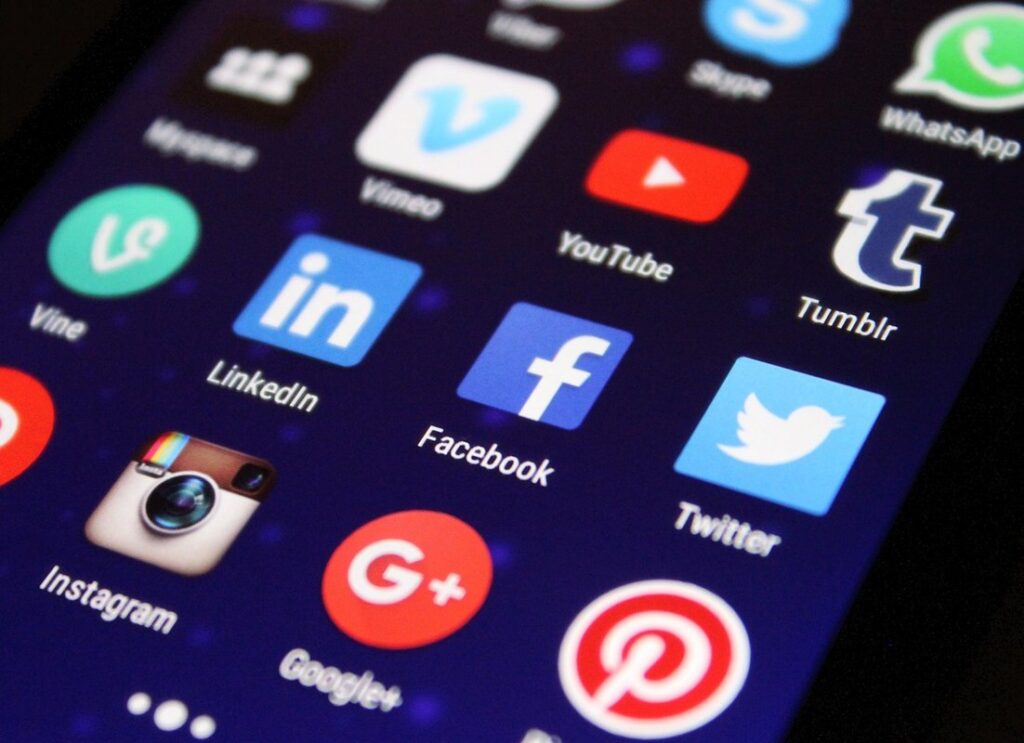
The Importance of Social Media Decluttering
By removing unwanted connections and unfollowing people who bring you down, you’ll create a social media space that truly reflects your values and promotes positivity. Let’s focus on the importance of these intentional actions in your online presence.
Understanding the Impact of Social Media on Mental Health
Excessive social media use has been linked to increased anxiety, depression, and loneliness. Research suggests that people who spend more time on social media are more likely to experience symptoms of mental health issues. This is partly due to the curated highlight reels presented by others online, which can create unrealistic comparisons and fuel feelings of inadequacy.
Constantly scrolling through feeds can also lead to a sense of FOMO (fear of missing out), as users feel pressure to stay connected and up-to-date on every aspect of friends’ lives. This can be particularly damaging for those who are already struggling with mental health issues, such as anxiety or depression.
One practical step to mitigate these effects is to limit social media use to specific times of the day, removing apps from phones during non-work hours, for instance. Another approach is to follow accounts that promote positive body image and self-acceptance, helping to counteract the negative impact of comparison culture.
Recognizing the Signs of Social Media Overload
Spending too much time scrolling through social media can be a sign of overload. If you find yourself mindlessly scrolling for hours on end, trying to keep up with every post from friends and acquaintances, it’s likely time to reassess your online habits. This excessive scrolling can lead to feelings of burnout, decreased productivity, and negatively impact mental health.
Another red flag is feeling pressured to present a perfect online image. You may feel compelled to share only curated content, hiding any imperfections or flaws behind a mask of perfectionism. This can create unrealistic expectations for yourself and others, perpetuating the cycle of social comparison. To combat this, try to share more authentic, unedited moments from your life.
Recognize if you’re spending too much time maintaining an online persona rather than engaging with real-life activities and relationships. Ask yourself: What are my true goals for using social media? Am I using it to connect with others or simply to present a certain image? Being honest about your motivations can help you identify areas where you need to declutter your online presence.
Understanding Your Social Media Habits
Taking a closer look at your social media habits is essential to identifying areas that drain your time and energy, and pinpointing opportunities for improvement. Let’s examine how you use platforms like Facebook, Twitter, and Instagram.
Tracking Your Time Spent on Social Media
To get a clear picture of how you spend time on social media, consider using tools and apps to monitor and track your usage. Options like RescueTime, Moment, and Screen Time (for Apple devices) can provide detailed breakdowns of the time spent on specific platforms or apps.
These tools typically collect data from your device’s activity logs, offering insights into when you’re most active, which features keep you engaged, and how much time is wasted on mindless scrolling. For instance, Moment allows you to set daily limits for certain apps, sending alerts when you approach these limits.
Some of these tracking apps also offer features like website blockers or app lockers, designed to help users stay focused by limiting access to distracting content during work hours or at specific times of the day. By understanding where your time is going on social media, you can make informed decisions about which platforms and activities are truly valuable to you, allowing for more intentional engagement and a healthier online presence.
Identifying Your Motivations for Using Social Media
When examining your social media usage, it’s essential to identify your motivations for using these platforms. Are you seeking personal connections, professional networking opportunities, or entertainment? Perhaps a mix of all three. Start by asking yourself why you’re on social media: do you feel lonely and want to stay in touch with friends, or are you looking to expand your professional reach? Maybe you’re simply bored and scrolling through feeds as a way to pass the time.
Your motivations may be driven by specific goals, such as staying up-to-date with industry news, connecting with like-minded individuals, or showcasing your creative work. For instance, if you’re an artist, your motivation might be to share your portfolio and receive feedback from peers. Alternatively, if you’re a job seeker, your goal is likely to build connections with potential employers or recruiters.
To clarify your motivations, take note of the types of content you engage with most: are they news articles, educational videos, or entertaining memes? Are there specific platforms that hold more significance for you than others? Being aware of your motivations will help you declutter your social media habits by focusing on what truly matters to you.
Decluttering Your Social Media Accounts
Your social media profiles can quickly become cluttered with old friends, irrelevant groups, and unwanted notifications. Let’s start by clearing out some of these digital distractions.
Reviewing and Deleting Unused or Inactive Accounts
Reviewing your social media accounts can be a therapeutic experience. Deleting unused profiles can free up mental space and reduce feelings of overwhelm. You’re not alone if you have multiple accounts created for specific purposes or out of curiosity.
Let’s start with the obvious: inactive accounts that gather dust. If you haven’t logged in to an account in over a year, it’s likely time to let go. Consider deleting these profiles altogether. For example, a Facebook account for a past business venture or a Twitter handle created for a now-defunct project can be safely closed.
When reviewing your accounts, think about the actual value each one brings to your online presence. Do you regularly post updates and engage with others on Instagram? Then keep it. However, if an account is mainly a repository of old photos or hasn’t been updated in months, consider consolidating those posts into another active profile.
Some platforms, like Instagram, allow you to archive inactive accounts instead of deleting them outright. This option can be a good compromise for profiles with sentimental value but little activity.
Simplifying Your Profile Information and Settings
To simplify your profile information and settings across all platforms, start by reviewing each account’s settings menu. This is often found in a dropdown arrow or three dots next to your name or profile picture. Look for sections labeled “Account,” “Settings,” or “Privacy.”
Begin by adjusting visibility settings for your posts and stories. Choose who can see your content, such as friends only, followers, or public. Consider restricting posting permissions on specific platforms if you’re not using them regularly.
Next, edit your contact information to include a current email address and phone number where possible. This ensures that platforms can notify you of security breaches or other critical updates.
Consider implementing two-factor authentication (2FA) wherever available to add an extra layer of security. You’ll typically find this setting in the account settings menu under “Security” or “Authentication.”
Additionally, set up notifications for account changes and activity on your profile. This can help you stay informed about suspicious behavior and take swift action if necessary.
Streamlining Your Feed
When it comes to social media, your feed is what you see every time you log in, and a cluttered one can be overwhelming. Let’s start by streamlining yours into a space that feels calm and curated.
Unfollowing or Muting Overwhelming Content Sources
When you’re confronted with an overwhelming amount of content from a particular user or hashtag, it’s time to take action. One effective way to manage this situation is by unfollowing or muting the source altogether.
Unfollowing someone on social media can be a radical step, but it’s often necessary when their posts consistently clutter your feed and contribute to feelings of overwhelm. Consider creating a “to-unfollow” list as you scroll through your feed, noting which accounts are causing you stress and making a conscious decision to remove them. You might also want to block or limit interactions with users who frequently engage in toxic behavior or share irrelevant content.
Muting is another option for dealing with overwhelming content sources. This feature allows you to see posts from a user without being notified about them, reducing the noise in your feed and giving you more control over what you engage with. By muting hashtags instead of unfollowing users who post under them, you can still stay up-to-date on topics that interest you while avoiding the chaos that comes with following too many sources at once.
Creating Customized Feed Settings for Improved User Experience
When customizing feed settings, consider hiding posts from accounts you rarely interact with. You can do this by clicking on the three dots next to a post and selecting “Mute” or “Hide.” This will prevent their content from cluttering your main feed. To take it a step further, use the “Prioritize who to see first” option in your settings to ensure that only your closest connections and favorite accounts appear at the top of your feed.
Another effective strategy is to adjust your algorithm-based “Following” list to include only the most relevant and engaging users. You can do this by clicking on the three dots next to an account and selecting “Unfollow.” This will help declutter your feed by removing unwanted content and reducing the likelihood of seeing spam or irrelevant posts.
It’s also a good idea to limit the number of hashtags you follow, as excessive hashtag clutter can quickly overwhelm your main feed. To do this, simply click on the “Hashtags” tab in your settings and select only those that are truly relevant to your interests.
Maintaining a Healthy Social Media Presence
Now that you’ve curated your feed and reduced clutter, let’s talk about maintaining that healthy social media presence over time by setting boundaries and routines.
Setting Boundaries and Scheduling Social Media Use
Setting boundaries around social media use is crucial to maintaining a healthy balance. This involves being intentional about when and how much you engage with online platforms. One strategy for setting boundaries is to designate specific times of the day or week for social media use, such as during your lunch break or after dinner.
You can also implement content limits on individual apps or across all social media accounts using built-in features or third-party tools. For example, some phones allow you to set app time limits or schedule downtime, while others offer digital wellness platforms that track and manage screen time.
Consider implementing a “no phone zone” in your home, such as the dinner table or bedroom, to create physical boundaries around social media use. You can also take it a step further by creating a device-free day each week or setting aside one hour on the weekends for family activities without screens. By establishing clear boundaries and scheduling social media use, you can reclaim control over your online presence and focus on real-life relationships and activities.
Prioritizing Real-Life Connections Over Online Interactions
Real-life connections with family and friends who share similar interests or values are essential to our emotional well-being. When we prioritize these relationships over online interactions, we experience improved mental health outcomes. This is because in-person connections foster deeper empathy and understanding between individuals.
For example, joining a community sports team or volunteering for a cause you’re passionate about allows you to bond with like-minded people outside of social media platforms. Regular face-to-face interactions can also help you build stronger relationships with those closest to you, such as family members or long-time friends. This can be particularly beneficial during times of stress or uncertainty when online support groups may not provide the same level of emotional comfort.
Prioritizing real-life connections requires intentional time management and boundary-setting. Consider designating device-free days or setting aside a specific evening each week for in-person activities with loved ones. By doing so, you can create space to nurture your offline relationships while maintaining a healthy online presence.
Advanced Strategies for Social Media Decluttering
Now that you’ve cleared out the clutter, it’s time to take your social media decluttering game to the next level with these advanced strategies and techniques to simplify your online presence.
Using Technology to Automate Social Media Tasks
Tools like Hootsuite and Buffer allow you to schedule posts across multiple social media platforms at once. This can save time and ensure consistency in your online presence. For instance, if you manage a business account on Facebook, Instagram, and Twitter, Hootsuite enables you to plan and publish content for each platform from a single dashboard.
Another tool worth exploring is IFTTT (If This Then That), which connects various apps and services to automate tasks based on specific triggers. You can use IFTTT to automatically post new blog updates or products on your social media channels, saving time that would be spent manually typing out links and descriptions.
Some tools even offer features like auto-comment responders and engagement analyzers. While these may not completely eliminate the need for human interaction, they can help streamline repetitive tasks and free up more time for meaningful engagement with your audience. By implementing these technologies, you can optimize your social media workflow and focus on building a healthier online presence.
Creating a Personalized Social Media Plan for Optimal Results
To create an effective social media plan, start by defining your unique goals. What do you hope to achieve on each platform? Are you looking to increase brand awareness, drive website traffic, or engage with a specific audience? Knowing your objectives will help you tailor your content and strategy accordingly.
Consider the type of content that resonates best with your target audience. If you’re targeting professionals, for instance, short-form videos or informative infographics might be more effective than memes or trending challenges. Identify the formats and topics that perform well on each platform to optimize your content strategy.
Another essential factor is your posting schedule. Some platforms benefit from consistent daily posts, while others require more spaced-out updates. Experiment with different schedules to determine what works best for you and adjust accordingly. Be mindful of peak engagement times and avoid overwhelming your audience with too many posts in a short period.
Frequently Asked Questions (FAQs)
Many readers may have questions about decluttering their social media presence, and we’re here to address some common concerns. One of the most frequently asked questions is whether it’s possible to completely remove a past post or comment from social media. The answer is often no, but you can make it difficult for others to access. Most platforms keep archives of all content, even if it’s been deleted.
Another concern is how to balance decluttering with maintaining an online presence that allows for professional networking and staying in touch with friends. A good rule of thumb is to review your followers regularly and unfollow accounts that no longer serve a purpose. This will help keep your feed organized and focused on the people and content you care about. By implementing these strategies, you can create a healthier online presence that aligns with your values and goals.
Frequently Asked Questions
Can I Re-Establish My Social Media Presence After Deleting Unused Accounts?
Yes. You can re-establish your social media presence by simply creating new accounts or reinstating old ones, but it’s essential to review and update your online profiles before doing so.
How Do I Handle the Loss of Followers When Unfollowing or Muting Content Sources?
The number of followers is not a direct indicator of success on social media. Focus on engaging with relevant content and individuals, rather than trying to maintain a specific follower count. This will help you build a more meaningful online presence.
What If I Have Multiple Social Media Accounts for Personal and Professional Use – Should I Merge Them?
Merging personal and professional accounts can be beneficial for simplicity, but it’s crucial to consider the potential risks of blurring personal and professional boundaries. You may want to keep separate accounts with clear labels to maintain a healthy work-life balance.
Can Technology Help Me Automate Social Media Tasks Without Sacrificing Personalization?
Yes. Many social media management tools can help automate tasks such as posting, responding to comments, or analyzing engagement metrics. Look for platforms that allow customization and flexibility so you can maintain a personalized approach to your online presence.

