
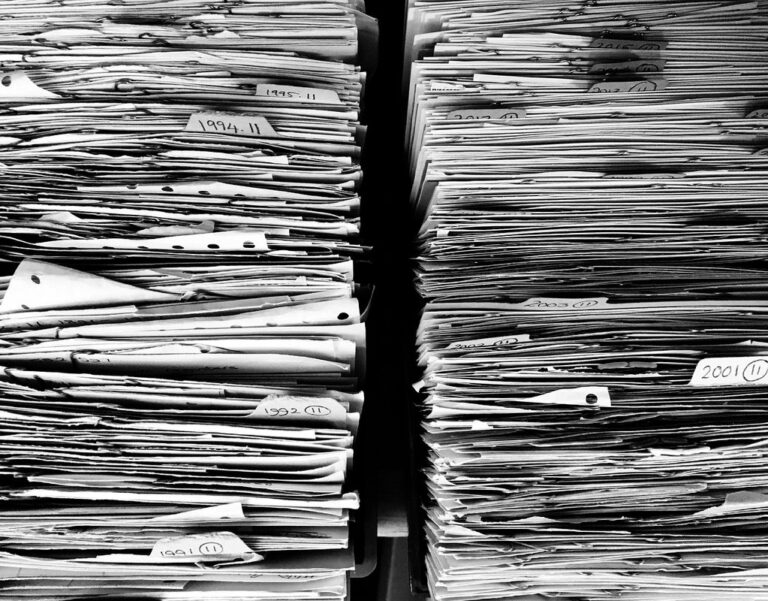
The never-ending piles of paperwork can be overwhelming, making it difficult to find what you need when you need it. As you dig through stacks of physical documents or scroll through digital files, stress levels rise and productivity takes a hit. Creating an organized system for both your digital and physical documents is essential to reclaiming control over your workspace. But where do you start? In this article, we’ll explore expert tips and strategies for creating a well-organized paperwork system that reduces stress and boosts productivity. We’ll cover everything from setting up a filing cabinet to managing digital documents and streamlining your workflow. By the end of this guide, you’ll have the tools and knowledge needed to create a streamlined paperwork system that helps you stay on top of tasks and deadlines with ease.
Understanding the Importance of Paperwork Organization
Organizing paperwork is more than just a task, it’s a crucial habit that can save you time, reduce stress, and improve your overall productivity. By understanding its importance, you’ll be motivated to tackle the rest of this organizing process with confidence.
Benefits of a Well-Organized Paper System
An organized paperwork system can significantly reduce stress and anxiety associated with paperwork clutter. Imagine being able to quickly locate a document when you need it, without having to sift through piles of papers. This sense of control and simplicity allows you to focus on more important tasks.
Having an organized system also saves time in the long run. When documents are easily accessible, you’ll avoid wasting hours searching for misplaced or misplaced information. For example, instead of spending 30 minutes looking for a specific bill, you can instantly find it in your designated file folder.
In addition to reducing stress and saving time, an organized paperwork system increases productivity. With important documents at your fingertips, you’ll be able to tackle tasks more efficiently. This leads to better work-life balance and enhanced overall efficiency. By implementing a well-structured paper management system, you can streamline your workflow and achieve a sense of accomplishment with each completed task.
Common Challenges in Paperwork Management
Cluttered desks and lost documents are two of the most common challenges people face when trying to organize their paperwork. A cluttered desk can be overwhelming, making it difficult to focus on tasks at hand. Papers pile up, creating a sea of chaos that’s hard to navigate. To tackle this issue, start by clearing your workspace. Sort papers into three piles: action items, documents to keep, and trash. This simple categorization will help you quickly identify what needs attention.
Lost documents can be frustrating, especially when important papers go missing. One common cause is misplaced filing systems or labels. To prevent this, create a standardized labeling system for your files. Use clear headings and concise descriptions to ensure you can easily locate specific documents. Consider investing in a file organizer or digital storage solution to keep your paperwork safe and secure. By implementing these strategies, you’ll reduce clutter and minimize the risk of lost documents, freeing up time and mental energy to focus on more important tasks.
Creating a Paperwork Organization System
Developing a solid organization system is crucial for effective paperwork management, so let’s start by creating a customized framework that suits your needs. We’ll explore various options and strategies to get you started.
Setting Up a Paper Filing System
When setting up a paper filing system, you’ll want to start by choosing file folders that are clear, concise, and easy to read. Avoid using generic labels like “Financial” or “Personal” – instead, opt for more specific categories such as “Tax Returns 2022” or “Insurance Policies.” This will save you time in the long run when searching for a particular document.
Next, select file folders that can be easily labeled and organized within your storage system. Consider using colored tabs or labels to differentiate between categories or highlight important documents.
For storage options, prioritize a location that is dry, cool, and out of direct sunlight. A filing cabinet with locking drawers can provide an added layer of security for sensitive documents. Alternatively, you can use a file organizer on a shelf or in a closet. When choosing a storage system, consider the amount of space you have available and the types of files you need to store.
Organizing Digital Documents
Organizing digital documents is a crucial aspect of creating an efficient paperwork organization system. Scanning paper files is an excellent way to digitize your documents and reduce clutter. You can use a document scanner or even take high-quality photos with your smartphone, but make sure to save them in a clear and descriptive file name.
Cloud storage services like Google Drive or Dropbox are perfect for storing digital documents. These platforms allow you to access your files from anywhere and share them with others easily. When using cloud storage, consider creating folders and subfolders that match your physical filing system. This will help you maintain consistency across both digital and paper-based systems.
For example, if you have a folder labeled “Tax Documents” in your physical file cabinet, create the same folder name in your cloud storage account to store corresponding scanned documents. By digitizing your paperwork and using cloud storage, you’ll be able to locate and retrieve specific documents quickly, freeing up time for more important tasks.
Managing Daily Paperwork Tasks
Now that you’ve got a system for managing your paperwork, let’s focus on tackling those daily tasks that can easily pile up. We’ll go over some practical strategies to streamline your routine.
Creating a Daily Routine for Paperwork
Creating a daily routine for paperwork involves setting aside dedicated time for tasks. This can be as simple as dedicating 30 minutes each morning to organizing paperwork before starting work. To make this habit stick, choose a consistent time and place for the task. For instance, some people prefer tackling paperwork first thing in the morning, while others find it more manageable at the end of the day.
When selecting a daily routine time slot, consider your most productive period and try to schedule paperwork tasks accordingly. Be realistic about how much time you have available each day and allocate sufficient time for completing tasks. For example, if you’re responsible for responding to a large volume of bills or invoices, set aside longer periods for these tasks.
To optimize daily routine efficiency, prioritize high-priority tasks first and tackle less critical paperwork last. Break down larger tasks into smaller, manageable chunks, such as processing a single bill or invoice at a time. By doing so, you’ll avoid feeling overwhelmed by the sheer volume of paperwork and maintain momentum throughout your daily routine.
Prioritizing Important Documents
When it comes to paperwork, not all documents are created equal. You need to prioritize important papers like bills, receipts, and financial statements over less pressing ones like junk mail and advertising circulars. Start by designating a specific area for incoming paperwork, such as a tray or folder on your desk or a designated spot in your home office.
As you sort through your documents, separate the essential from the non-essential. Place important papers like bills and receipts into categories, such as “to pay” or “for filing,” to keep them organized and easily accessible. Consider scanning these documents and storing digital copies for safekeeping. This will not only free up physical space but also reduce clutter.
On the other hand, address less pressing papers like junk mail by immediately recycling or shredding them. You can also consider implementing a “no-junk-mail” policy with your creditors and service providers to reduce the amount of unwanted paperwork coming into your home.
Maintaining an Organized Paper System
When it comes to maintaining a clutter-free space, a well-organized paper system is crucial for efficient work and reduced stress. Here’s how to keep your paperwork in check.
Regularly Reviewing and Updating Folders
Regularly reviewing and updating file folders is a crucial step in maintaining an organized paper system. As new documents are added to a folder, old ones may become outdated, irrelevant, or even unnecessary. This clutter can quickly accumulate, making it difficult to find what you need when you need it.
Schedule regular reviews of your folders, ideally every 3-6 months, to assess their contents and ensure they remain relevant. Go through each folder and ask yourself: “Is this document still necessary?” “Can I safely dispose of or digitize this item?” Be ruthless – if a document no longer serves its purpose, consider archiving it or getting rid of it altogether.
When reviewing folders, also take the opportunity to reorganize and re-label them as needed. This might involve creating new subfolders or merging existing ones. For example, if you have separate folders for receipts from different years, consider consolidating them into a single “Receipts” folder with dated subfolders within it. By regularly reviewing and updating your file folders, you’ll keep your paper system organized, efficient, and easy to navigate.
Strategies for Long-Term Document Storage
When it comes to long-term document storage, you need a plan that ensures your papers are safe, accessible, and compliant with regulations. One popular strategy is using external hard drives to store digital files. For example, consider investing in a high-capacity external drive specifically designed for document storage. These devices can hold hundreds of gigabytes of data and are often compact enough to fit on a shelf.
Physical files also require secure storage, particularly sensitive documents like financial records or tax returns. Designate a specific area for long-term storage, such as a fireproof safe or a climate-controlled file cabinet. Label each container clearly so you can easily locate the documents you need. When storing physical files, prioritize alphabetical organization to minimize time spent searching for specific documents.
Consider using archival-quality materials, like acid-free folders and boxes, to prevent damage from moisture, light, or pests. This may be especially important if you’re storing historical records or irreplaceable documents. By implementing a well-planned storage system, you’ll have peace of mind knowing your papers are protected for the long haul.
Advanced Paperwork Organization Techniques
For those looking to take their paperwork organization skills to the next level, mastering advanced techniques is essential for maintaining a truly streamlined workspace. This includes implementing systems like color-coding and categorization.
Implementing a “Touch Once” Policy
When you handle paperwork, it’s essential to adopt a “touch once” policy. This means dealing with each document immediately, either by taking action on it or filing it away for later reference. The goal is to avoid revisiting the same piece of paper multiple times, which can lead to frustration and wasted time.
To implement this policy effectively, designate specific areas for immediate action and filing. Create a “touch once” station near your workspace where you’ll address documents as soon as possible. This could be a tray or basket with slots for categorizing papers by urgency, type, or recipient. If you need to make phone calls, send emails, or complete tasks related to the paperwork, do so immediately after reviewing the document.
For items that require later attention, use a filing system with clear labels and easily accessible storage. Consider implementing a “reference” folder for documents you may need in the near future but don’t have time to tackle right away. When you revisit these papers, try to complete any outstanding tasks or follow up on actions within a day or two to maintain momentum.
Using Technology to Streamline Processes
Integrating technology into paperwork management can significantly streamline processes. One effective approach is using accounting software to automate financial tracking and organization. For instance, programs like QuickBooks allow users to digitize invoices, track expenses, and generate reports with ease.
Digital note-taking apps are another valuable tool for paperwork organization. Apps like Evernote enable users to store and categorize notes, images, and documents in a single platform. This can be particularly useful for tracking deadlines, meeting minutes, or progress on projects.
When selecting technology tools, consider the specific needs of your workflow. If you’re frequently exchanging files with clients or colleagues, cloud storage solutions like Google Drive or Dropbox can facilitate seamless collaboration. Implementing these technologies not only reduces clutter but also saves time and effort by minimizing manual data entry and organization tasks.
Frequently Asked Questions
What if I have a huge stack of old documents to sort through? How can I tackle that without getting overwhelmed?
Begin by setting aside a dedicated block of time to focus on sorting through the old documents. Start by categorizing them into groups, such as bills, receipts, and other paperwork. Consider enlisting the help of a friend or family member to make the task more manageable. As you sort through each document, consider implementing your “touch once” policy to quickly deal with it or file it away for later reference.
Can I use my existing file folders and labels, or do I need to completely start over?
You don’t necessarily need to replace your existing file folders and labels, but it’s a good idea to review them and make sure they’re still relevant and accurate. If you’ve accumulated a lot of paperwork since setting up your initial filing system, consider creating new folders and labels to reflect the changes in your document collection.
What if I have sensitive or confidential documents that need to be stored for long-term? How can I ensure their security?
For sensitive or confidential documents, it’s essential to use a secure storage solution. Consider using a fireproof safe or a locked cabinet with a combination lock. You can also store these documents in a secure off-site location, such as a safety deposit box at your bank.
Can I use digital tools for storing and organizing certain types of paperwork, like contracts or receipts? What are some options?
Yes, you can definitely use digital tools to store and organize certain types of paperwork. Cloud storage services like Google Drive or Dropbox are great for scanning and storing documents digitally. You can also consider using accounting software or digital note-taking apps to streamline processes and reduce paper clutter.
Is it worth investing in a document scanner, or can I stick with digitizing my papers manually?
Investing in a document scanner can be a worthwhile investment if you have a high volume of paperwork to digitize. It will save you time and effort in the long run, especially if you need to access documents frequently. However, if you only have a small amount of paper to digitize, manual scanning may not be too burdensome.

